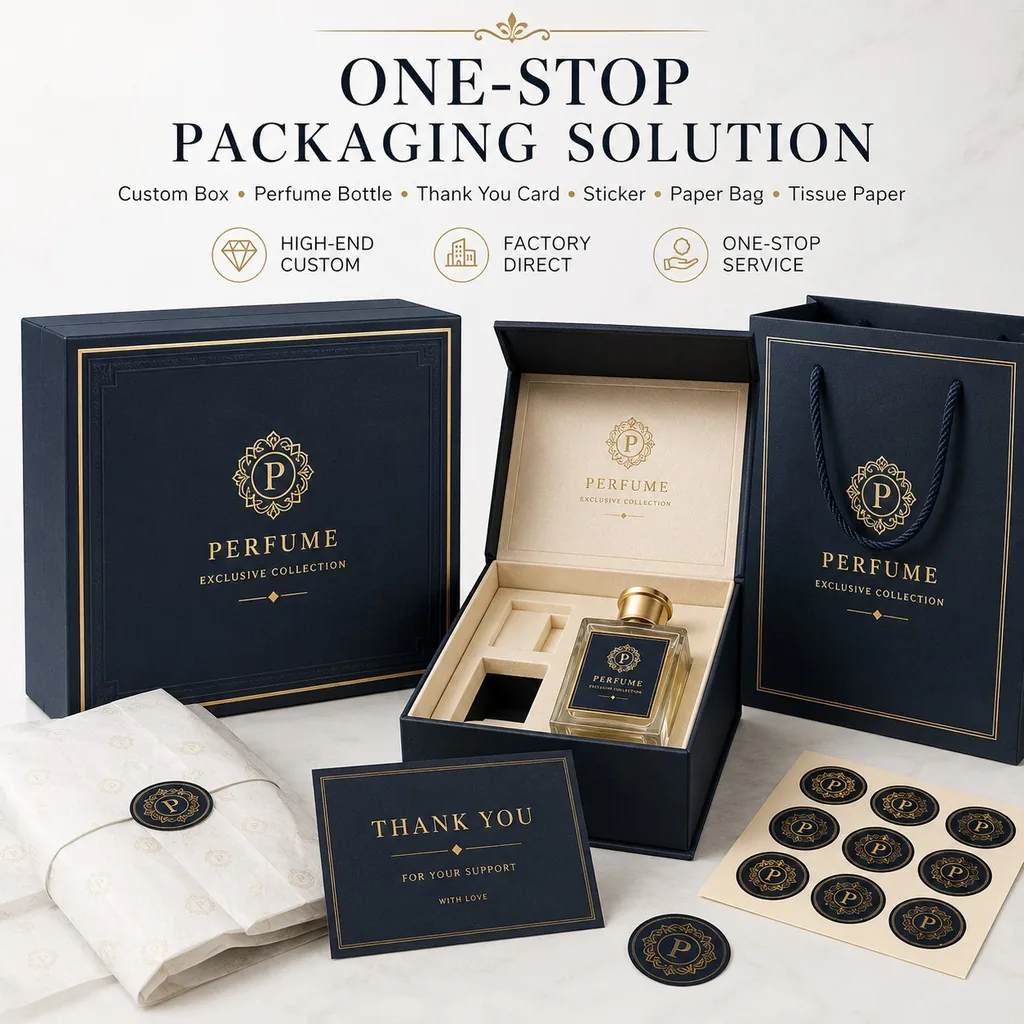
AI image tools have become genuinely good at packaging design. Within minutes they produce a mockup that looks like a finished product — the box, the lighting, the metallic logo, the styled backdrop. It is tempting to send that image to a factory and assume the job is nearly finished.
It is not. That image is a picture of packaging, not a file that can be printed. Between the render on your screen and a box coming off a press, five things have to exist that most AI output simply does not contain: production structure, a colour model the press can read, separate layers for every special finish, resolution measured in print terms rather than screen terms, and label content that satisfies the rules of the market you sell into. Miss any of them and the failure surfaces late — in the proof, in the first shipment, or on a retailer's shelf. This guide covers what actually breaks, and the four-step handoff that prevents it.
A high-resolution image is still not a print-ready file
The first misunderstanding is the word "high resolution". A 4K render looks sharp on a monitor because monitors resolve detail at roughly 72 to 96 dots per inch. Commercial packaging printing resolves at 300 dots per inch as a minimum. A file that is 4,000 pixels wide is generous for a screen and thin for a press: printed across a typical box panel, its effective resolution drops well below the threshold where type and fine rules stay crisp.
Resolution is only half of it. AI generators output raster images — grids of coloured pixels. A print file wants vector line art and live type, because those are defined mathematically and stay sharp at any size. When your logo and copy exist only as pixels, several things become impossible. Text cannot be edited, so a misspelled brand name, a wrong phone number or an out-of-date legal line cannot be corrected in place — the artwork has to be rebuilt. Type cannot be converted to outlines for clean output. And a pixel logo cannot be scaled onto a larger box without softness appearing along its edges.
There is a second, quieter problem. Image generators frequently render text with subtly wrong letterforms, invented characters or uneven spacing. At mockup size this reads perfectly. At 300 dpi across a printed panel it is a defect that a customer will notice. In practice, one mistyped digit on a contact line turns a five-minute correction into a full redesign — and that delay lands on your production schedule, not the designer's.
The five structural elements AI artwork never contains
Commercial printing is a mechanical process with tolerances. Print files are built around five structural elements, and each one exists to absorb machine variation. AI output contains none of them.
Bleed. The background must extend past the finished trim edge — usually 3 mm (1/8 in). Cutting equipment drifts by fractions of a millimetre; without bleed, that drift exposes a sliver of unprinted board or white paper along one or more edges. On a full-colour wrap this reads as a defect, and an entire run can be rejected for it.
Safety margin. Text and critical graphics must sit a few millimetres inside the trim line. Anything closer risks being trimmed away. AI composes to the edge of the frame, which is exactly the wrong instinct for print.
Dielines, fold lines and trim lines. A folding carton or rigid box is cut and creased from a die, and that die is built from vector paths in your file — cut lines, crease lines and waste areas. AI output has no real paths at all. Generated "dielines" are decorative: line weights are inconsistent and the geometry does not correspond to a box that can actually be built and glued. A die cannot be cut from a picture.
Structure matched to the physical box. A mockup shows a closed, three-dimensional box rendered at an angle. It does not communicate panel dimensions, board thickness, glue tabs or how the piece folds flat. Those come from a dieline.
Fit between board and artwork. Artwork drafted on screen ignores material behaviour: how a heavy greyboard creases, how a laminated surface holds a fine rule, how much a fold pulls ink away from a crease line. These variables are resolved when the artwork is drafted around a real substrate and structure — not afterwards.
Production data a picture cannot carry
Colour mode: RGB on screen, CMYK on press
Screens emit light in RGB; presses lay down ink in CMYK, sometimes with additional spot colours. Converting between the two is not a toggle. Bright screen colours — especially saturated blues, greens and neons — cannot be reproduced in CMYK and will shift when printed. A file supplied only in RGB has to be converted, and the conversion has to be judged against a physical proof, because correcting a shifted colour is a decision someone makes, not an automatic step. The right moment for that decision is before the run, when a colour can still be adjusted.
Foil, UV and emboss are layers, not pixels
This is the most expensive misunderstanding in the whole chain. A render can display gold foil, spot UV gloss, embossing, debossing or a soft-touch matte finish, and every one of those effects is simulated — faked shine, faked relief, faked texture. The press does not read shine. It reads a separate layer or mask defining exactly where a finish goes, on which panel, over what area, together with the parameters for that operation.
When that data is missing, a factory has only two options. Print everything as ordinary four-colour and lose the premium effect entirely, leaving a flat, cheap-looking result. Or stop and rebuild the artwork, separating each finish onto its own layer and rebuilding type as editable text — which usually takes longer than drafting the design from scratch. Either way, the schedule slips.
At specification stage, a finish is a line item, not an aspiration. A recent 2,000-piece magnetic book box we produced illustrates the level of detail: a 400 × 280 × 120 mm body in 1,800 gsm greyboard, UV printing, matte lamination, and a cost-engineered XPE-over-EPE insert. Each of those is a defined operation in the file.
The compliance risk that lands on you, not the printer
Label content is regulated, and the rules differ by market. Depending on the product and where you sell it, panels must carry specific elements: ingredient or material statements, net contents, manufacturer or importer details, batch codes, best-before dates, warning statements, and recycling or disposal marks. Many markets also set minimum type sizes and contrast requirements for that information.
AI tools generate images. They do not read labelling law, and they cannot know which market a box will be sold in. Generated artwork routinely shows text at a size no inspector would accept, omits required declarations, places mandatory information where it will be trimmed or creased, or reproduces a symbol that is not permitted for that product category. None of this is visible in a mockup, because a mockup is judged on how it looks rather than on whether it is compliant.
The commercial consequence is asymmetric. A factory prints what the file specifies. When a non-compliant pack reaches a shelf and is inspected or reported, the penalty, the forced delisting and any recall fall on the brand whose name is on the box — not on the design tool and not on the printer. Treating an AI mockup as camera-ready artwork is therefore not a shortcut; it is an uninsured risk carried by the buyer.
Since 2015 our factory in Shenzhen has produced packaging for brands in more than 30 countries, and the pattern is consistent: the earlier label requirements are settled — including questions such as FSC-certified board options or REACH-relevant substances — the fewer files have to be rebuilt later.
Using AI without the rework: the four-step workflow
AI is not the problem. Treating its output as final artwork is. Used as a concept stage and handed off properly, it genuinely saves money and compresses the design cycle. Four steps do the work.
Step 1 — Concept with AI. Use the tool for what it is good at: mood, colour direction, proportion, finish ideas. Get sign-off on the visual direction before anyone touches a dieline.
Step 2 — Build production artwork and prepress. Rebuild the approved direction as print artwork: set the dieline to the real box dimensions, extend the background to 3 mm of bleed, place safety margins, convert to CMYK, and set text as editable type.
Step 3 — Separate the finishes. With the base artwork final, create a dedicated layer or mask for every special operation — foil, spot UV, emboss, deboss, die-cut — and label each with its area and parameters.
Step 4 — Proof, then check content. Print a physical sample and inspect it against the file, then verify the copy: spelled correctly, complete, correctly sized, and compliant for the destination market. Only then approve for production.
One decision has to be made before Step 2: who owns it. Some brands hand the approved direction to their own designer; others ask the supplier. Either model works, but the deliverable is identical and the responsibility should be written into the quote — because "the artwork wasn't ready" is the single most common reason a packaging schedule slips.
The artwork approval checklist
Run this list before you approve anything for production. Every item is a file property you can verify or ask your supplier to confirm.
- Effective resolution of 300 dpi at final print size — not the pixel dimensions of the original render
- Bleed of 3 mm (1/8 in) on every trimmed edge
- Safety margin keeping all text and critical graphics inside the trim line
- Vector logo and outlined type, so nothing depends on a font file being installed elsewhere
- CMYK colour with any required spot colour named separately
- A dedicated layer or mask for every special finish, with its parameters stated
- A dieline that matches the physical box — dimensions, board thickness, glue tabs, fold direction
- Proofread copy, including contact details and legal lines, checked against the source text rather than the render
- Market labelling requirements confirmed for the country of sale
- A physical sample approved against the file, not against the screen
This last point carries real schedule weight. At our factory, production time starts after artwork approval. A printed physical sample runs 1–3 days, and production then takes 10–15 days from that approval point. Artwork rework does not sit inside that window — it sits before it. That is why a file that has to be rebuilt costs more than the design time it appears to save. For a deeper look at what else drives a packaging timeline and a quote, see Why Packaging Quotes Differ and How to Choose a Custom Packaging Manufacturer.
What to send your packaging supplier
When the visual direction is approved, the handoff file should contain five things: the box structure or dieline; print artwork with bleed, safety margins and CMYK colour; a separate layer or spec for each finish; the quantity and target in-hand date; and the country of sale, so labelling requirements can be checked against the market that matters.
For rigid and magnetic boxes, structure decisions affect artwork more than any other category — board weight changes how panels sit and how type can be placed. Our magnetic and luxury gift boxes page covers the board and insert options that artwork has to be drafted around. If your project is a folding carton, the dieline is the entire foundation: see folding cartons for structure and material ranges. And for e-commerce projects where the pack has to survive transit as well as look right on a shelf, the mailer specification on our mailer and shipping boxes page covers the corrugated options and print treatments involved.
Artwork is only half of the specification. The commercial decisions — structure, print method, colour approach, market compliance, timeline, sampling and quality control — are covered in 11 questions to answer before you request a custom packaging quote.
AI has earned a permanent place in packaging design. It just does not replace the handoff. Concept in pixels, production in vectors — keep those two stages separate and the technology saves you money instead of costing you a shipment.